Overview
Shufti's Business AML Screening checks a business against global sanctions, warnings and regulatory enforcement lists, fitness and probity, adverse media, special interest entity (SIE), and insolvency records. These records cover companies, organizations, vessels, and aircraft flagged by law enforcement agencies and regulatory bodies worldwide. When a potential match is found, the system returns a calibrated AML Match Score so your compliance team can make informed, risk-based decisions.
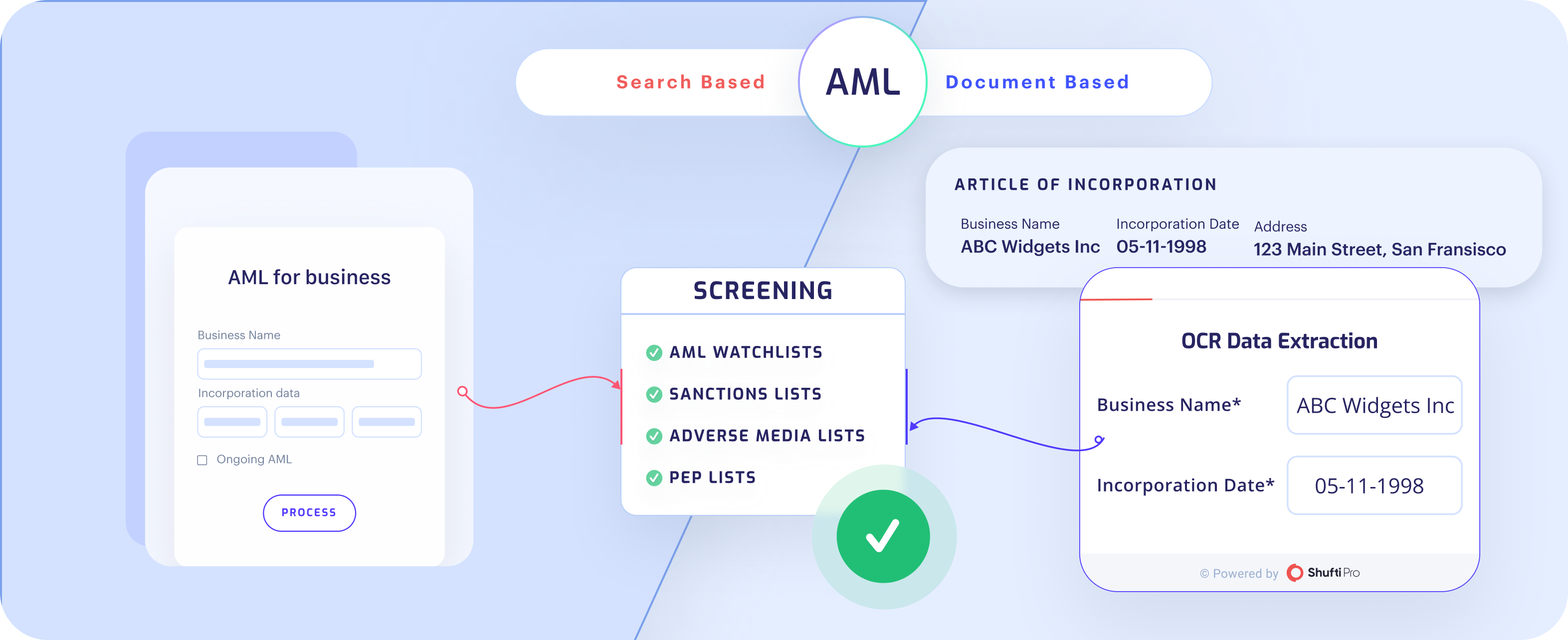
This page orients you to the product. To integrate, jump to Onsite Integration or Offsite Integration.
Supported entity types
Business AML Screening covers a broad range of subjects so you can screen everything relevant in your compliance workflow:
| Entity type | Description |
|---|---|
| Company | Corporate entities flagged for regulatory breaches or financial crime. |
| Organisation | Non-corporate bodies under investigation or listed for non-compliance. |
| Vessel | Ships and maritime vessels flagged by regulatory or law-enforcement bodies. |
| Aircraft | Aircraft linked to sanctioned parties or under regulatory scrutiny. |
What you can do
- Screen by business name and incorporation date against global sanctions, watchlist, and adverse media sources.
- Tune the search with country filters, a unique identifier, aliases, relatives and close associates (RCA), and a configurable match threshold.
- Add contextual signals by passing a context object to improve the AI Compliance Co-Pilot's assessment.
- Keep records current with ongoing monitoring that re-screens active profiles and alerts you on any watchlist change.
- Resolve results in one place using the AI Compliance Co-Pilot, a Custom Risk Scoring Engine, and a built-in case management workflow.
How a screening works, in brief
- Input: You provide the business name (required) and, ideally, the incorporation date. Data can be entered directly or extracted from a document.
- Search: The engine matches the input against your selected data sources using phonetic, alias, transliteration, and name-variation logic.
- Score: Every returned record gets an AML Match Score from 0-100%. Records below your threshold are suppressed.
- Decide: Matches are returned in the response with full record detail. You accept, decline, or route them for review.
- Monitor (optional): Enrolled profiles are re-screened continuously, and you are alerted on any change.
For the full logic, data sources, and worked examples, see How It Works.
Two ways to integrate
Business AML screening is exposed through the aml_for_businesses service in two integration modes:
| Mode | Who collects the data | Use when |
|---|---|---|
| Onsite | Shufti's hosted flow collects the subject's details | You want Shufti to manage data collection |
| Offsite | You send the details directly via API | You already hold the business data and want a server-to-server check |
Documentation in this section
| Page | What it covers |
|---|---|
| Overview | Product orientation, entity types, screening flow summary, and integration modes |
| How It Works | Entity types, search modes, data sources, the matching engine, match score, ongoing monitoring, and compliance tooling |
| Onsite Integration | Request parameters and sample for the hosted flow |
| Offsite Integration | Request parameters and sample for the API-only flow |
| Match Results | Reference for the match-type values returned on each hit |
| Responses | Structure of the verification response and the AML data object |
| Declined Reasons | Status codes returned when a screening is declined |